You need to forward your calls. Maybe you're setting up a business line. Maybe you're routing overflow to an answering service. Maybe you just learned about conditional call forwarding and want to set it up.
Whatever the reason, here's exactly how to do it on every major US carrier. No apps. No calling customer service. Just a code you dial from your phone.
In a hurry? Use our Call Forwarding Setup Tool — pick your carrier, enter your forwarding number, and get a one-tap dial link. Done in under a minute.
Before you start
You need two things:
- Your forwarding number — the number you want calls sent to. If you're a Yadalog customer, this is your Yadalog number.
- Your phone's dialer app — the same app you use to make regular calls.
You'll be dialing special codes called MMI codes. They look weird (lots of stars and hashes), but they're standard across the industry. You type them into your dialer and tap Call. The network does the rest.
Conditional vs. unconditional — which should you set up?
Conditional forwards calls only when you can't answer (busy, no answer, or unreachable). Your phone rings first. This is what most business owners want.
Unconditional forwards every call immediately. Your phone never rings.
If you're not sure which to pick, read our full breakdown: Call Forwarding vs Conditional Call Forwarding.
This guide covers both. We'll start with conditional since that's the right choice for most people.
AT&T
This section covers AT&T, AT&T Prepaid, and AT&T-based MVNOs including Cricket Wireless, Consumer Cellular, H2O Wireless, PureTalk, and Lycamobile.
Set up conditional forwarding (recommended)
This activates forwarding for all three conditions at once — busy, no answer, and unreachable.
Open your dialer and type:
**004*[your forwarding number]#
For example, if your forwarding number is (415) 555-0123:
**004*14155550123#
Tap Call. You'll see a confirmation message. That's it.
Set up unconditional forwarding
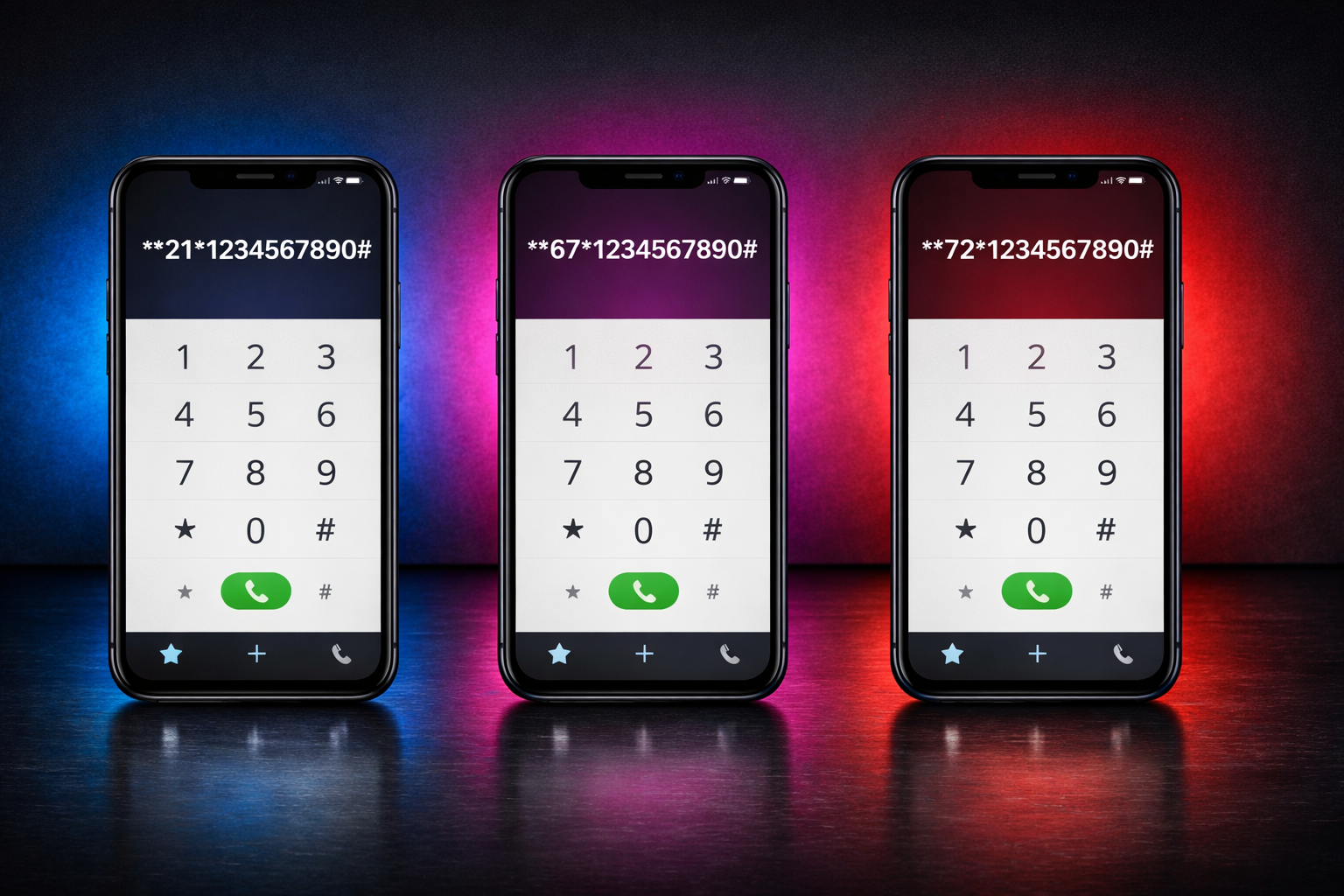
**21*[your forwarding number]#
Or use AT&T's legacy shortcode:
*72[your forwarding number]
Turn it off
| Type | Code |
|---|---|
| Remove conditional forwarding | ##004# |
| Remove unconditional forwarding | ##21# |
| Remove unconditional (legacy) | *73 |
Check status
| Type | Code |
|---|---|
| Busy | *#67# |
| No answer | *#61# |
| Unreachable | *#62# |
| Unconditional | *#21# |
AT&T notes
- AT&T supports both standard MMI codes and their legacy
*72/*73codes for unconditional forwarding. - AT&T Prepaid: Unconditional forwarding works. Conditional forwarding may need to be provisioned by customer service — if you see an "Invalid MMI code" error, call AT&T and ask them to enable supplementary services on your line.
- Cricket Wireless: Some users report that conditional forwarding codes are blocked. Unconditional (
*72) usually works. If conditional codes fail, contact Cricket support to enable them.
Don't want to type codes manually? Our Call Forwarding Setup Tool generates one-tap dial links for AT&T and all AT&T MVNOs.
T-Mobile
This section covers T-Mobile, T-Mobile Prepaid, and T-Mobile-based MVNOs including Mint Mobile, Metro by T-Mobile, Boost Mobile, Ultra Mobile, Simple Mobile, Tello, and Ting (T-Mobile SIM).
Set up conditional forwarding (recommended)
**004*[your forwarding number]#
For example:
**004*14155550123#
Tap Call. Confirmation appears. Done.
Customize the ring time
By default, your phone rings for about 20 seconds before forwarding on no-answer. You can change this:
**61*[your forwarding number]**[seconds]#
Valid values: 5, 10, 15, 20, 25, or 30 seconds. For example, to ring for 25 seconds (~5 rings):
**61*14155550123**25#
We recommend 20-25 seconds. Enough time to grab your phone from your pocket, not so long that the caller gives up.
Set up unconditional forwarding
**21*[your forwarding number]#
Turn it off
| Type | Code |
|---|---|
| Remove conditional forwarding | ##004# |
| Remove unconditional forwarding | ##21# |
Check status
| Type | Code |
|---|---|
| Busy | *#67# |
| No answer | *#61# |
| Unreachable | *#62# |
| Unconditional | *#21# |
T-Mobile notes
- T-Mobile has the most reliable MMI code support of all US carriers. It's been a GSM carrier since day one.
- Codes work on both prepaid and postpaid without any extra provisioning.
- All T-Mobile MVNOs (Mint, Metro, Boost, etc.) inherit the same codes. If it works on T-Mobile, it works on Mint.
- Status check codes return clear, formatted responses showing exactly what's forwarded and where.
Generate your exact codes with one tap: Call Forwarding Setup Tool.
Verizon
This section covers Verizon, Verizon Prepaid, and Verizon-based MVNOs including Visible, Xfinity Mobile, Spectrum Mobile, Total Wireless, Straight Talk (Verizon SIM), and Page Plus.
Set up conditional forwarding (recommended)
**004*[your forwarding number]#
For example:
**004*14155550123#
Tap Call.
Set up unconditional forwarding
**21*[your forwarding number]#
Or use Verizon's legacy shortcode:
*72[your forwarding number]
Then tap Call and wait for a confirmation tone.
Turn it off
| Type | Code |
|---|---|
| Remove conditional forwarding | ##004# |
| Remove unconditional forwarding | ##21# |
| Remove unconditional (legacy) | *73 then tap Call |
Check status
| Type | Code |
|---|---|
| Busy | *#67# |
| No answer | *#61# |
| Unreachable | *#62# |
| Unconditional | *#21# |
Verizon notes
- Verizon historically used CDMA, which didn't support standard MMI codes. Since their CDMA shutdown in December 2022, all Verizon devices run on VoLTE, and standard MMI codes now work.
- However, Verizon's own support pages still primarily reference
*72/*73for unconditional forwarding. The conditional codes work but aren't well-documented by Verizon. - Status check codes may not return results on some Verizon devices. If
*#61#gives you an error, don't worry — just make a test call instead to verify forwarding is active. - If conditional codes fail with "Invalid MMI code", contact Verizon and ask them to enable Advanced Calling or conditional call forwarding on your line.
- Visible: Has very limited MMI code support. Conditional forwarding may not work. Try the Visible app or contact support.
- Xfinity Mobile / Spectrum Mobile: Generally works with standard codes since they use Verizon's VoLTE network.
Skip the guesswork — get your exact Verizon codes here.
Google Fi
Google Fi is a special case. It uses its own call routing layer on top of T-Mobile's network, which means standard MMI codes may not work reliably.
Instead, manage forwarding through the Google Fi app:
- Open the Google Fi app
- Go to Phone settings
- Tap Calls
- Tap Call forwarding
- Enter your forwarding number
If you prefer to try MMI codes, T-Mobile codes (**004*, **21*, etc.) sometimes work on Fi, but results are inconsistent.
Other carriers and MVNOs
If your carrier isn't listed above, here's the rule: MVNOs use the same codes as their host network.
Find your carrier and use the corresponding section:
| Your carrier | Use codes for |
|---|---|
| Cricket, Consumer Cellular, H2O, PureTalk, Lycamobile, Airvoice | AT&T |
| Mint, Metro, Boost, Ultra Mobile, Simple Mobile, Tello, Ting, Wing, Helium, CREDO | T-Mobile |
| Visible, Xfinity Mobile, Spectrum Mobile, Total Wireless, Straight Talk (VZ), Page Plus, US Mobile (VZ SIM) | Verizon |
Not sure which network your carrier uses? Our Call Forwarding Setup Tool has 60+ carriers in the database — just search for yours and we'll show you the right codes.
How to verify forwarding is working
After dialing the activation code, test it with a real call:
For conditional forwarding:
- Test no-answer: Have someone call your number. Let it ring without picking up. After your ring timeout (default ~20 seconds), the call should forward.
- Test busy: Call someone and stay on the line. Have a second person call you. They should be forwarded.
- Test unreachable: Turn on airplane mode. Have someone call you. They should be forwarded immediately.
For unconditional forwarding:
- Have someone call your number. Your phone should not ring at all. The call should go directly to your forwarding number.
You can also dial the status check codes listed in each carrier section above. These will show a popup confirming whether forwarding is active and which number it's pointing to.
Common problems and how to fix them
"Connection problem or invalid MMI code"
The most common error. It means one of three things:
- Your carrier hasn't provisioned conditional forwarding. This is the most likely cause on prepaid plans, Cricket, Visible, and some smaller MVNOs. Call your carrier and ask them to enable supplementary services or conditional call forwarding.
- You typed the code wrong. Double-check the exact format. The stars and hashes matter. Use our setup tool to avoid typos.
- Temporary network issue. Wait a minute and try again.
"My voicemail stopped working"
Expected. Your carrier's voicemail IS conditional call forwarding — it's just forwarding to the carrier's voicemail system. When you set up your own conditional forwarding, you replace it.
If you're forwarding to Yadalog, this is actually better — instead of a voicemail box nobody checks, you get a live AI agent that answers, qualifies the caller, and books jobs.
To restore carrier voicemail later, deactivate conditional forwarding with ##004#. Your carrier should automatically re-register their voicemail number.
"Forwarding works sometimes but not always"
Check these:
- WiFi Calling interference: Disable WiFi Calling, set up forwarding over cellular, then re-enable WiFi Calling.
- Unconditional/conditional conflict: Activating and then deactivating unconditional forwarding can sometimes wipe your conditional settings. If you changed unconditional forwarding recently, re-check your conditional codes.
- Dual SIM: Make sure the correct SIM is selected as your default voice line before dialing forwarding codes.
"Status check codes don't show anything"
Some carriers (especially Verizon) don't fully support status check codes. The forwarding may still be active — make a test call to verify instead of relying on the status codes.
What happens after forwarding is set up
If you're forwarding to a voicemail box, the caller leaves a message. Maybe. 62% of callers hang up instead.
If you're forwarding to Yadalog, the AI agent picks up immediately. It sounds natural, asks the right questions, qualifies the lead, and books the job into your calendar — before you even check your phone.
The forwarding setup is the same either way. The difference is what's on the other end.
Every missed call that hits voicemail is a potential customer who called someone else. Every missed call that hits Yadalog is a job that's already booked by the time you get back to your truck.
If you haven't set up forwarding yet — it takes two minutes. Get your codes now.